Vargamäe website · 2026

Website quality

A closer look at the website.

How quickly does the page appear? What do automated accessibility checks find? Here are the measurements from the 2026 website, with the original reports open for inspection.

Homepage · Mobile
Measured on the public website
www.vargamae.ee

Measured

3 pages

18 Lighthouse runs

6 axe scans

The results, page by page

Choose a page and a device. The four scores and timings below belong to one actual Lighthouse run: the middle performance score of three. The full range and all original reports follow.

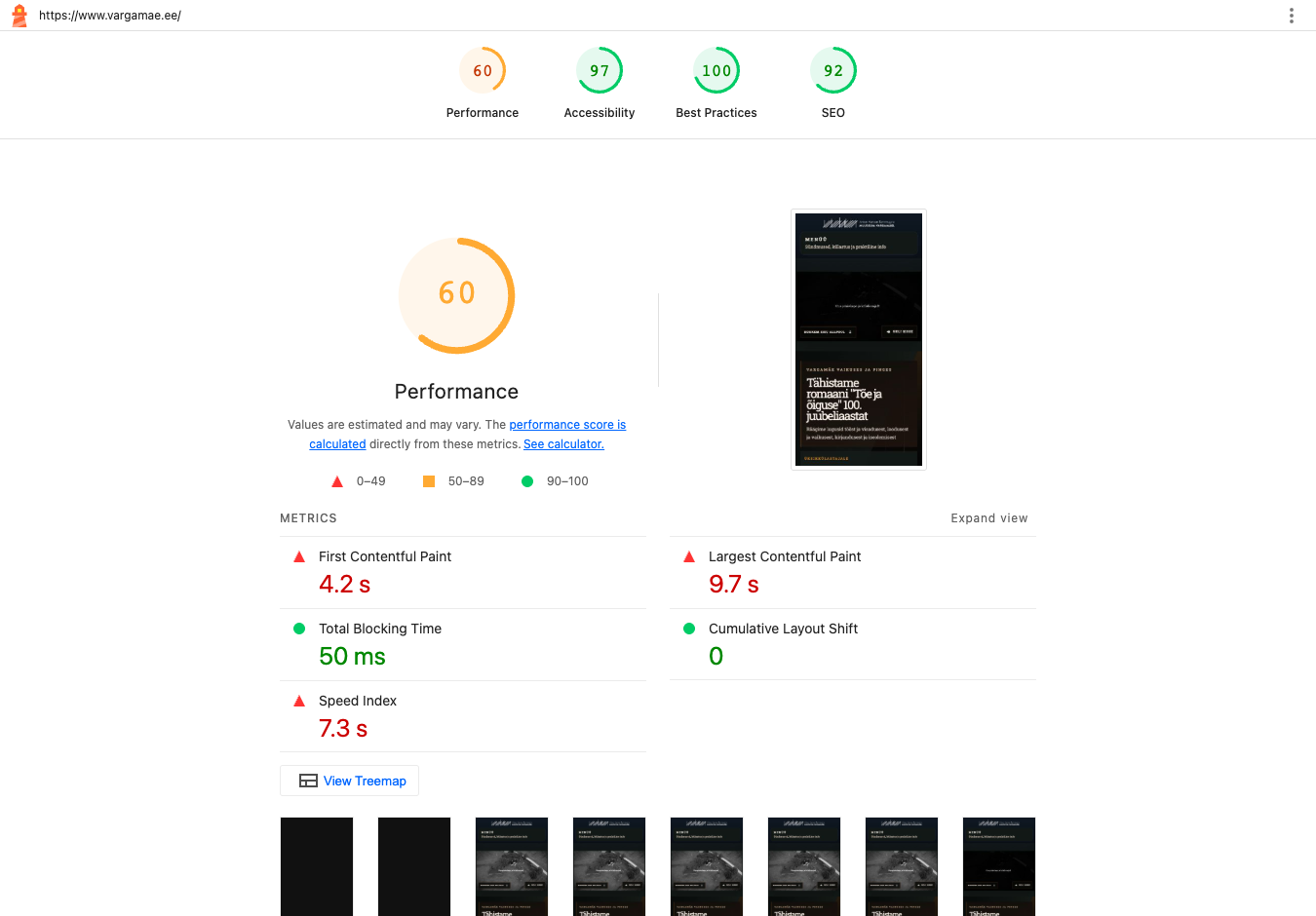
Homepage · Mobile

/

Performance

60 / 100

Accessibility

97 / 100

Best practices

100 / 100

Search visibility

92 / 100

Performance across three runs: 60–61 / 100. Displayed run 3 of 3.

What was measured

First content appears
4.16 s
Main content appears
9.75 s
Time blocking interaction
46 ms
Layout movement
0.000
Visual loading speed
7.28 s
Data transferred
9 310 KiB

Lighthouse lab metrics from the displayed run. Data transferred covers resources observed during that run, not a whole browsing session.

Accessibility: what the scan found

rules with failures
1
rule–element occurrences
7
checks needing review
3

A separate axe scan checks the initial page against automated WCAG 2.0, 2.1 and 2.2 A/AA rules. A score of 100 or zero detected failures does not establish full accessibility.

Full axe results (JSON)
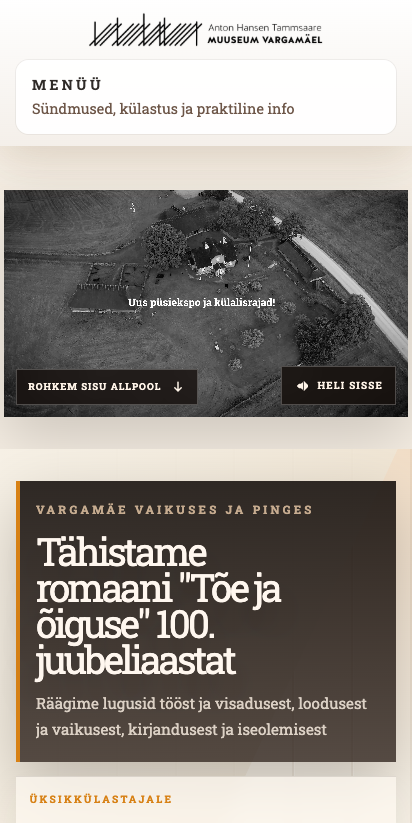
Page capture: Homepage · Mobile
Actual browser capture from the separate accessibility scan. It is taken after the performance runs.
The Lighthouse report: Homepage · Mobile
Screenshot of the original Lighthouse renderer for the displayed run. Open the HTML report to inspect every audit.
All three original Lighthouse reports
RunPerformanceAccessibilityTime (UTC)Reports
160 / 10097 / 100HTML · Homepage · Mobile · 1 / JSON · Homepage · Mobile · 1
261 / 10097 / 100HTML · Homepage · Mobile · 2 / JSON · Homepage · Mobile · 2
360 / 10097 / 100HTML · Homepage · Mobile · 3 / JSON · Homepage · Mobile · 3

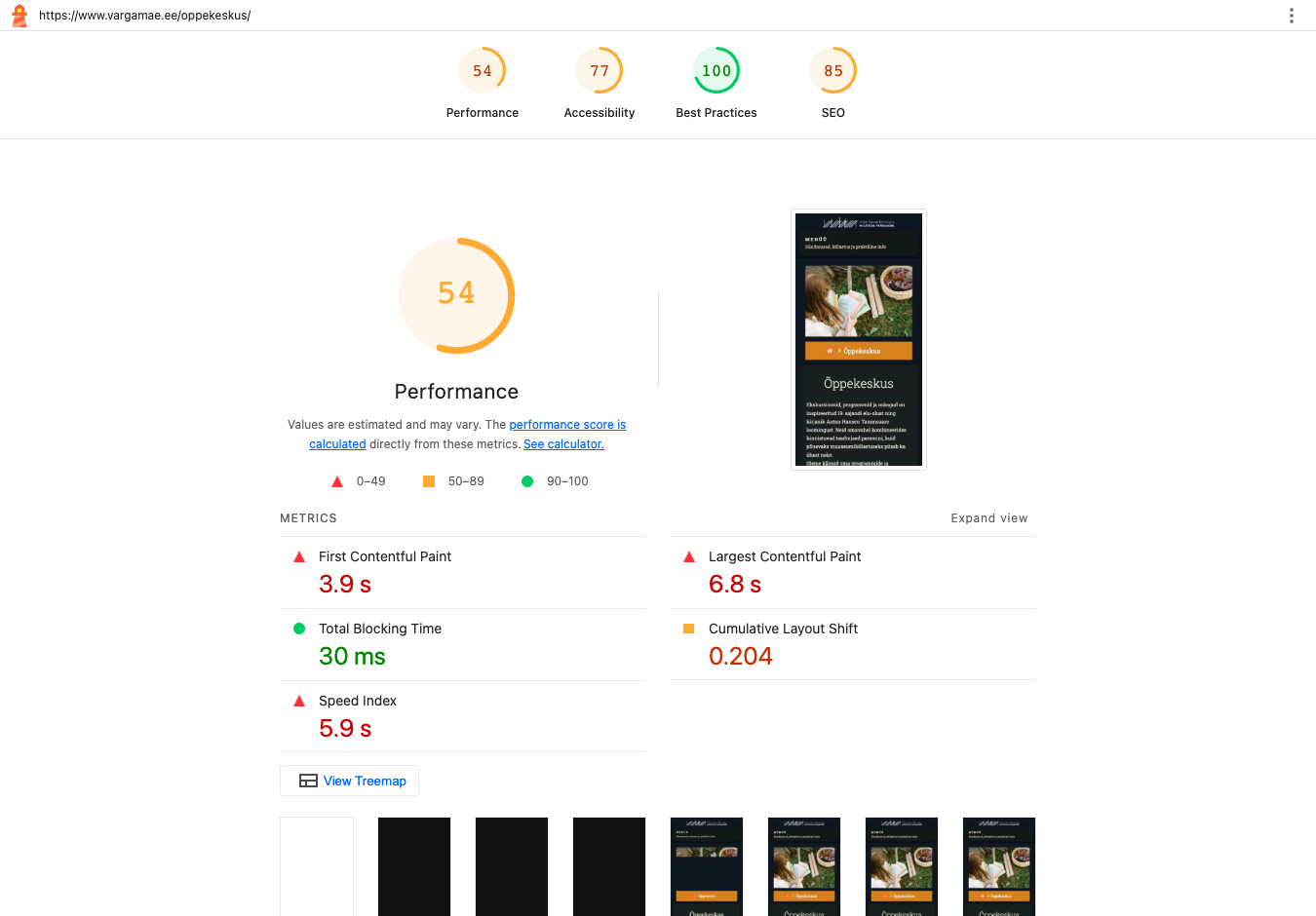
Education centre · Mobile

/oppekeskus/

Performance

54 / 100

Accessibility

77 / 100

Best practices

100 / 100

Search visibility

85 / 100

Performance across three runs: 52–63 / 100. Displayed run 3 of 3.

What was measured

First content appears
3.91 s
Main content appears
6.83 s
Time blocking interaction
25 ms
Layout movement
0.204
Visual loading speed
5.94 s
Data transferred
2 111 KiB

Lighthouse lab metrics from the displayed run. Data transferred covers resources observed during that run, not a whole browsing session.

Accessibility: what the scan found

rules with failures
4
rule–element occurrences
32
checks needing review
2

A separate axe scan checks the initial page against automated WCAG 2.0, 2.1 and 2.2 A/AA rules. A score of 100 or zero detected failures does not establish full accessibility.

Full axe results (JSON)
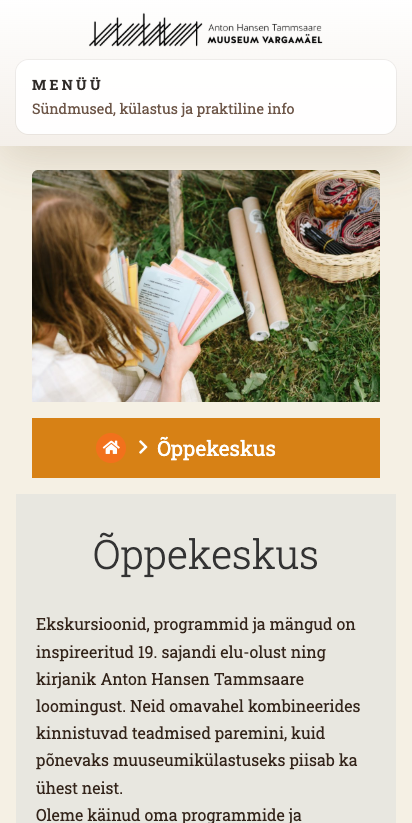
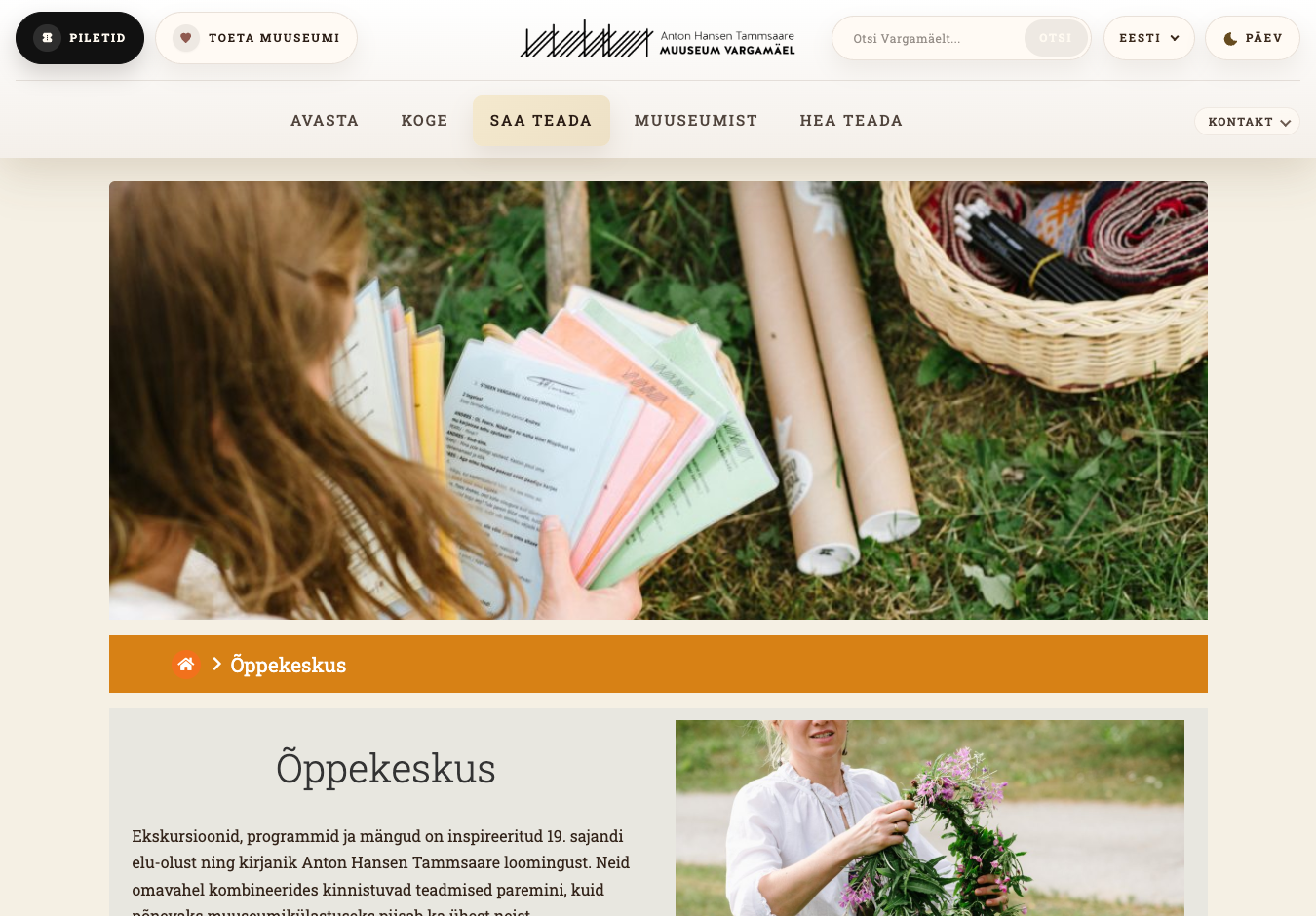
Page capture: Education centre · Mobile
Actual browser capture from the separate accessibility scan. It is taken after the performance runs.
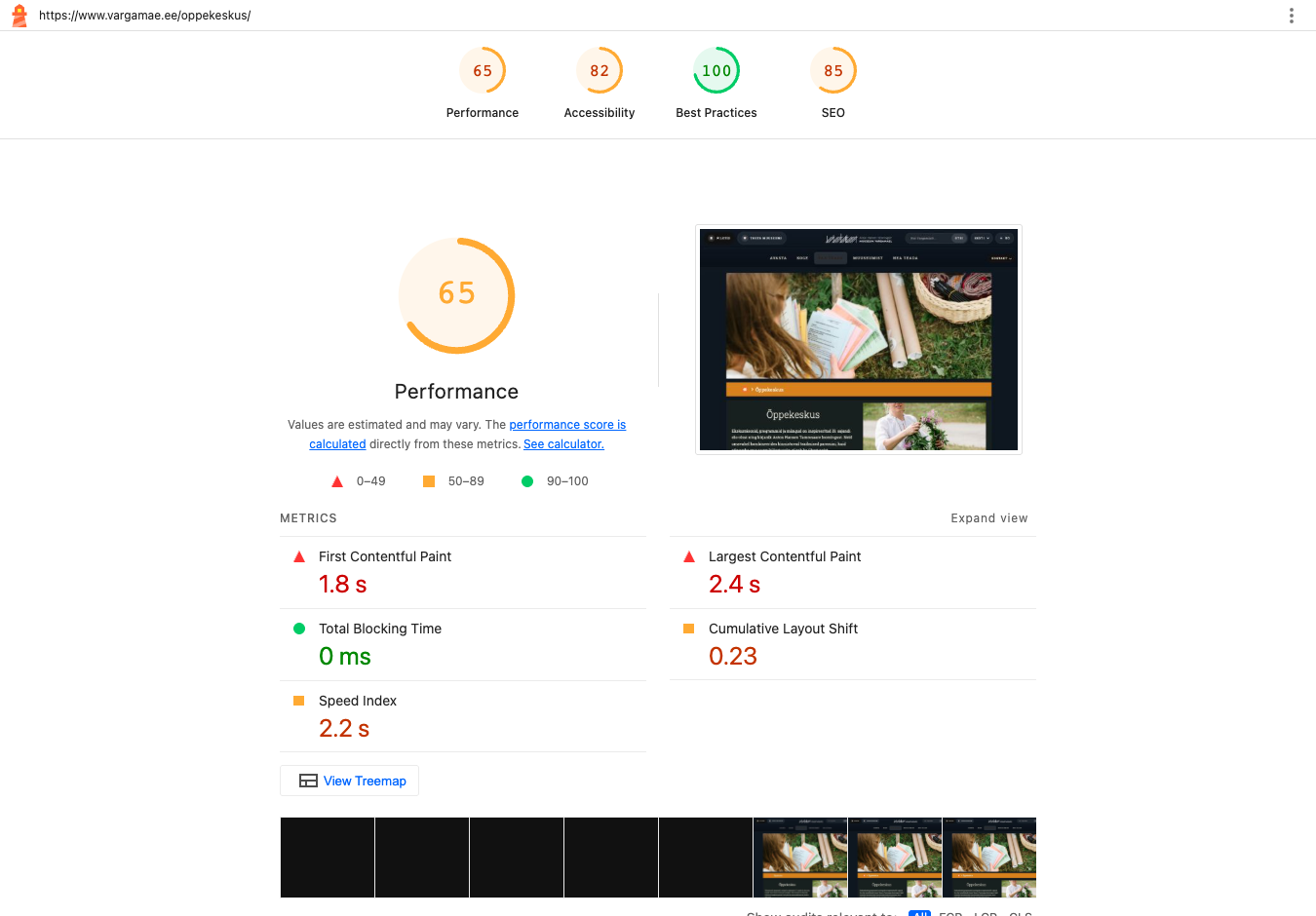
The Lighthouse report: Education centre · Mobile
Screenshot of the original Lighthouse renderer for the displayed run. Open the HTML report to inspect every audit.
All three original Lighthouse reports
RunPerformanceAccessibilityTime (UTC)Reports
152 / 10077 / 100HTML · Education centre · Mobile · 1 / JSON · Education centre · Mobile · 1
263 / 10077 / 100HTML · Education centre · Mobile · 2 / JSON · Education centre · Mobile · 2
354 / 10077 / 100HTML · Education centre · Mobile · 3 / JSON · Education centre · Mobile · 3

Contact · Mobile

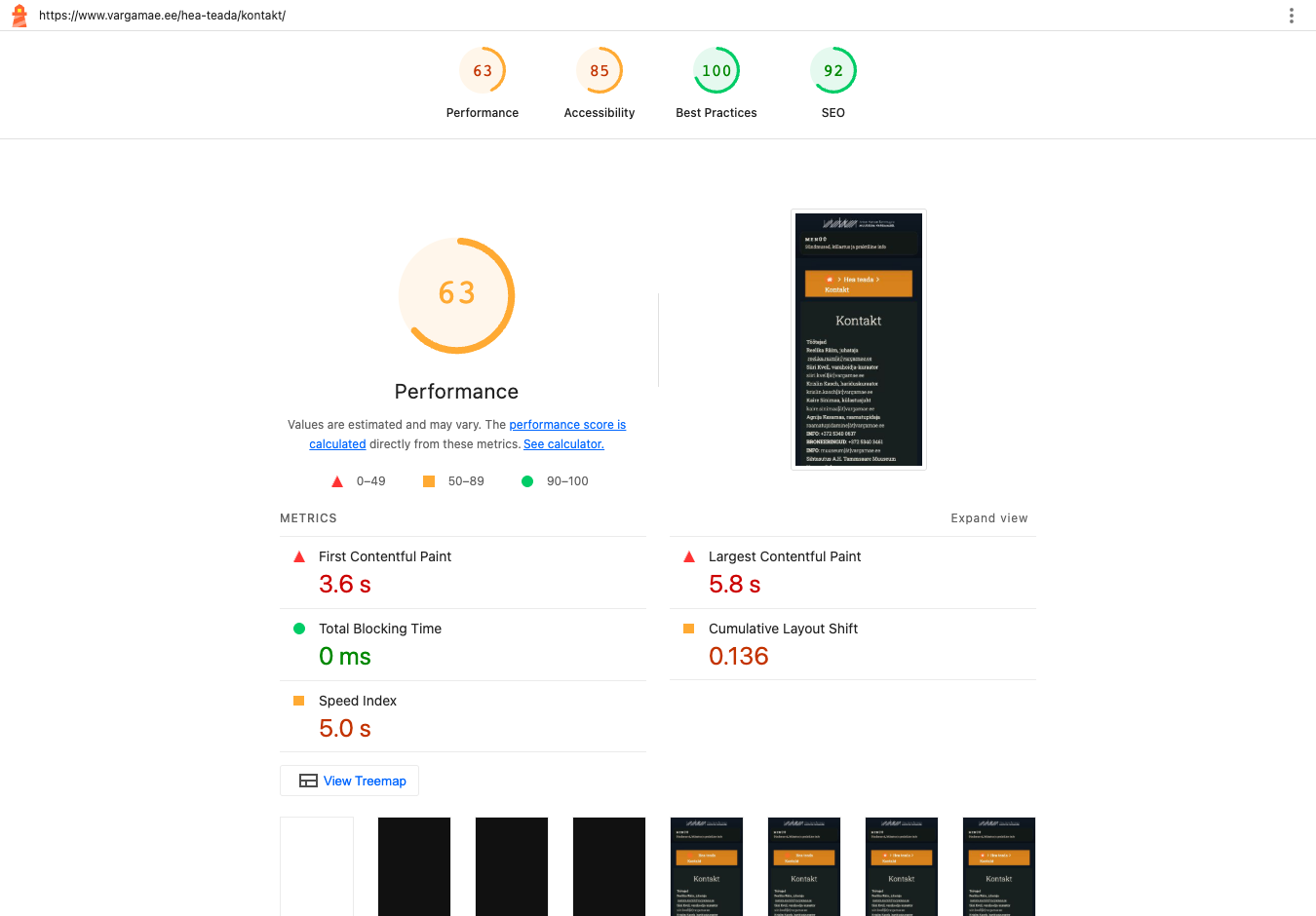
/hea-teada/kontakt/

Performance

63 / 100

Accessibility

85 / 100

Best practices

100 / 100

Search visibility

92 / 100

Performance across three runs: 63–63 / 100. Displayed run 2 of 3.

What was measured

First content appears
3.60 s
Main content appears
5.84 s
Time blocking interaction
1 ms
Layout movement
0.136
Visual loading speed
5.01 s
Data transferred
1 445 KiB

Lighthouse lab metrics from the displayed run. Data transferred covers resources observed during that run, not a whole browsing session.

Accessibility: what the scan found

rules with failures
3
rule–element occurrences
19
checks needing review
2

A separate axe scan checks the initial page against automated WCAG 2.0, 2.1 and 2.2 A/AA rules. A score of 100 or zero detected failures does not establish full accessibility.

Full axe results (JSON)
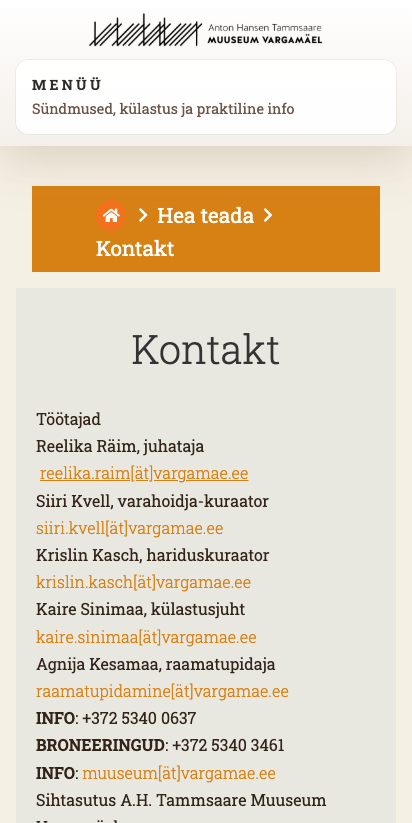
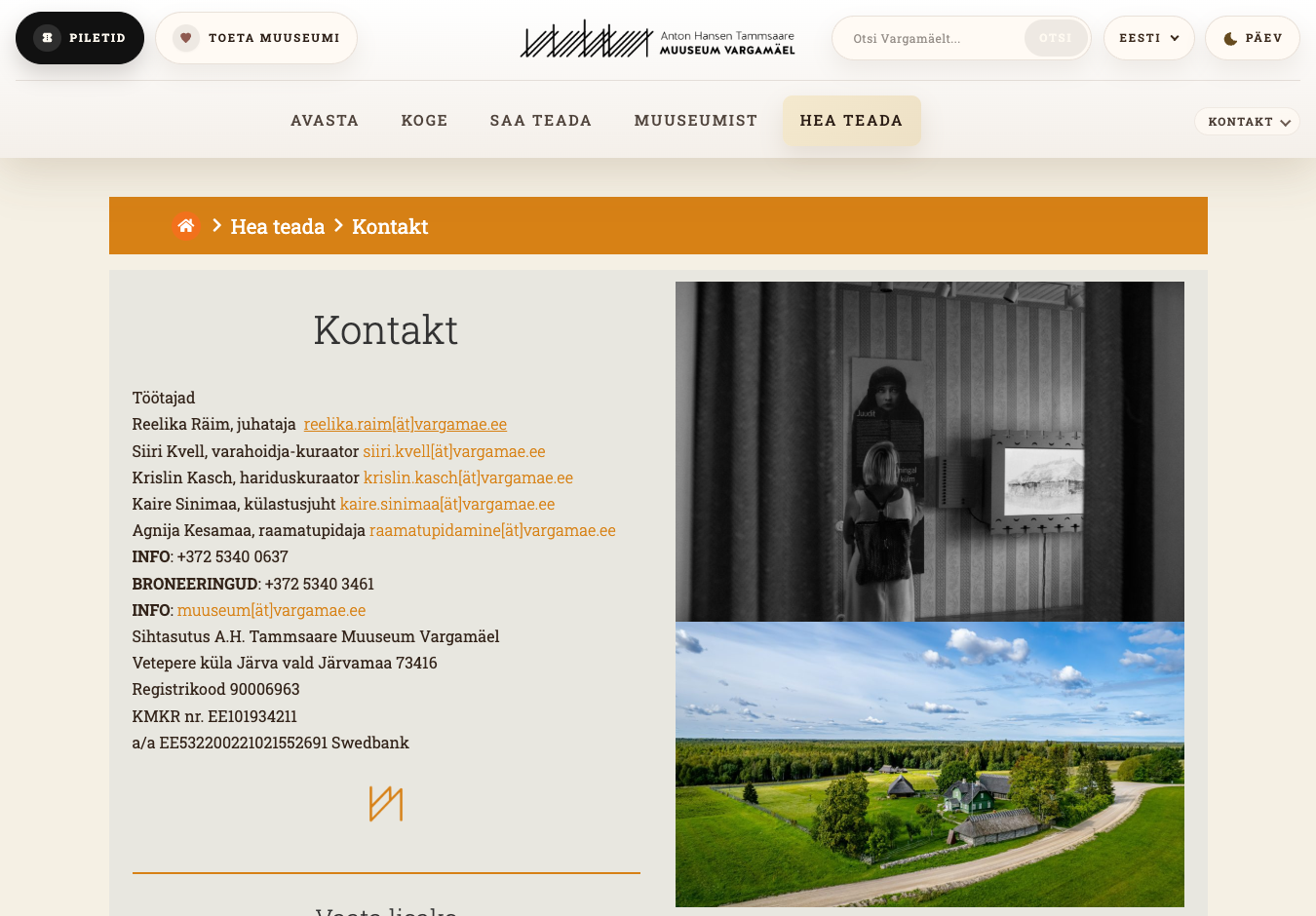
Page capture: Contact · Mobile
Actual browser capture from the separate accessibility scan. It is taken after the performance runs.
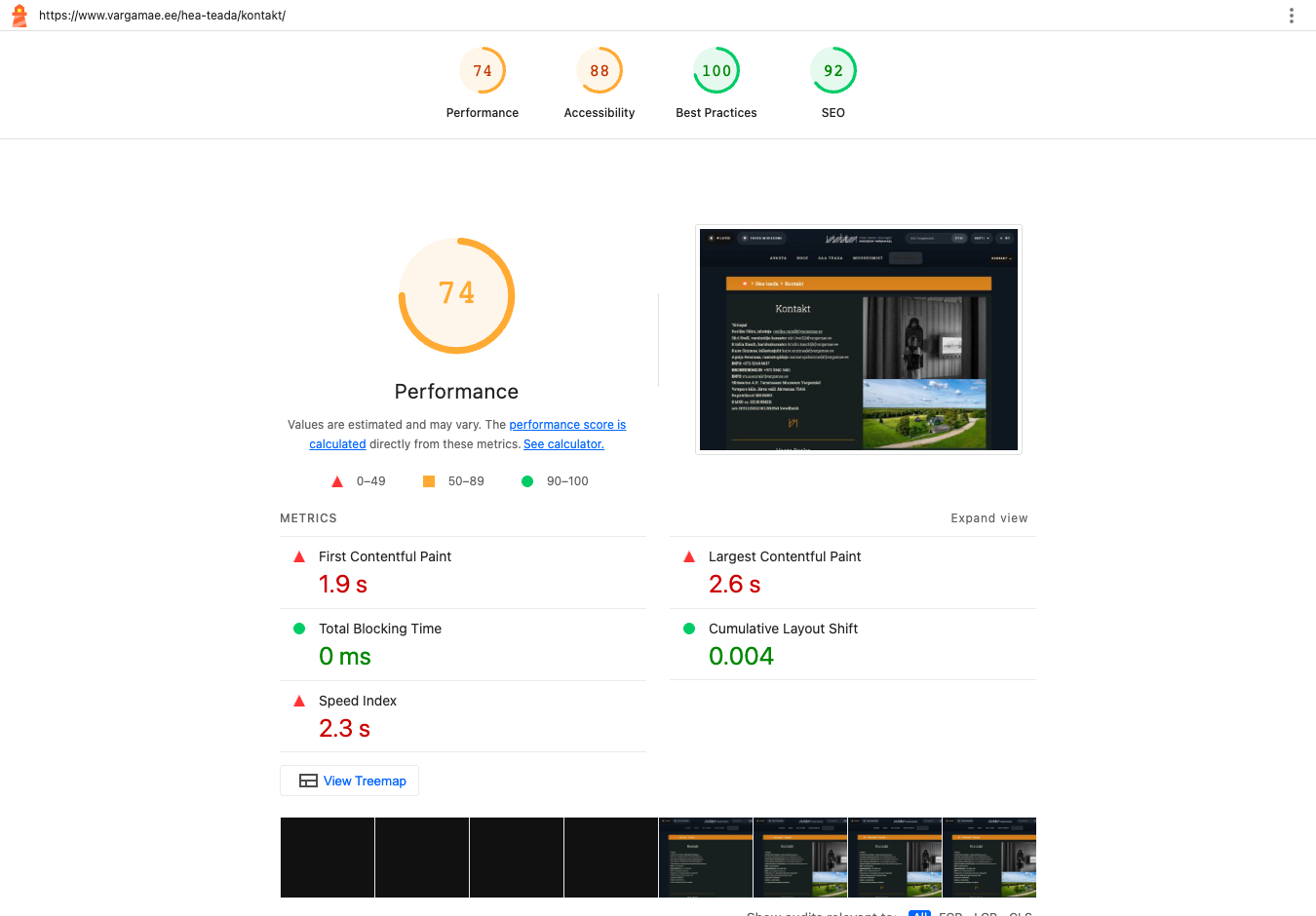
The Lighthouse report: Contact · Mobile
Screenshot of the original Lighthouse renderer for the displayed run. Open the HTML report to inspect every audit.
All three original Lighthouse reports
RunPerformanceAccessibilityTime (UTC)Reports
163 / 10085 / 100HTML · Contact · Mobile · 1 / JSON · Contact · Mobile · 1
263 / 10085 / 100HTML · Contact · Mobile · 2 / JSON · Contact · Mobile · 2
363 / 10085 / 100HTML · Contact · Mobile · 3 / JSON · Contact · Mobile · 3

Homepage · Desktop

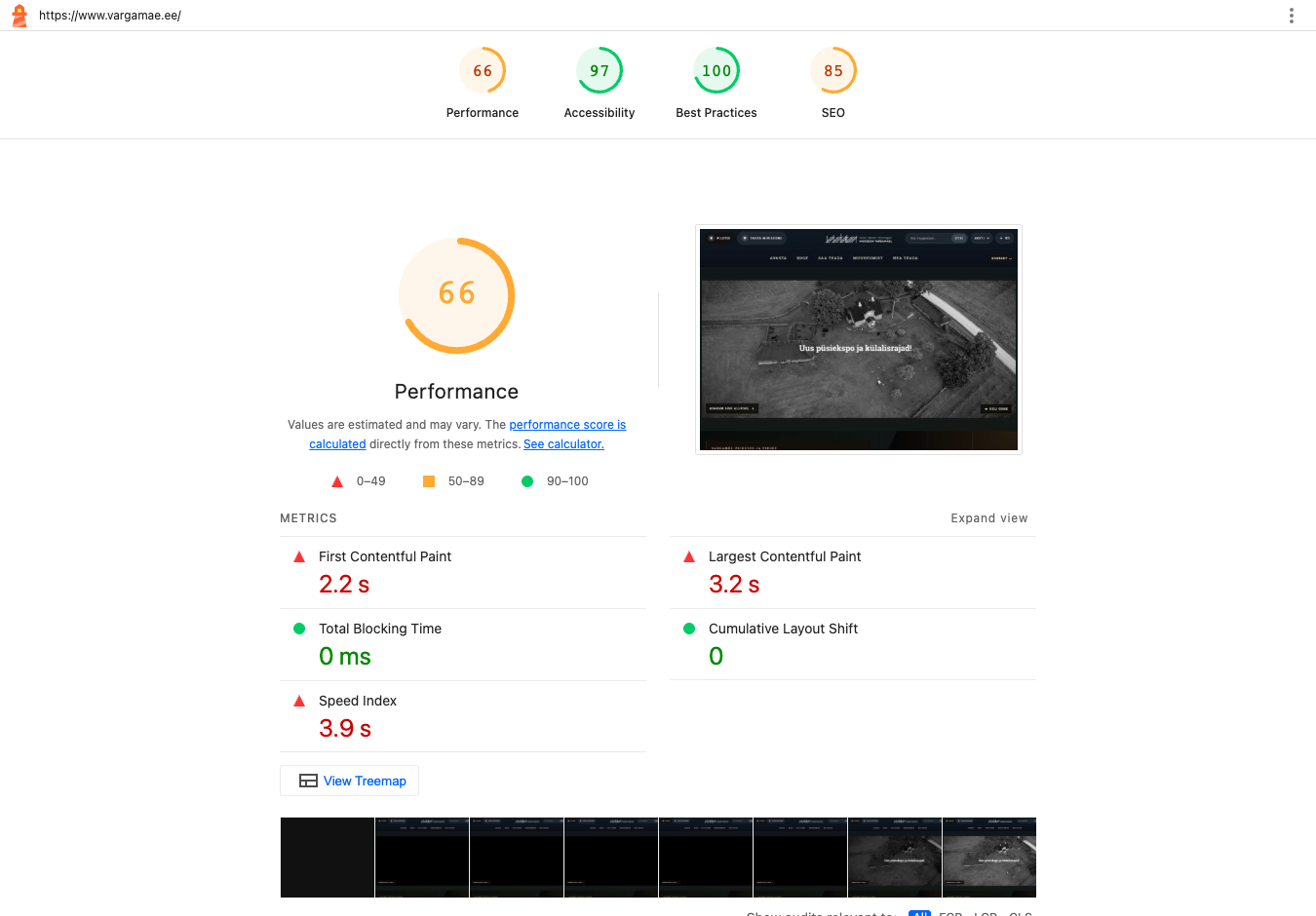
/

Performance

66 / 100

Accessibility

97 / 100

Best practices

100 / 100

Search visibility

85 / 100

Performance across three runs: 64–68 / 100. Displayed run 2 of 3.

What was measured

First content appears
2.22 s
Main content appears
3.18 s
Time blocking interaction
0 ms
Layout movement
0.000
Visual loading speed
3.93 s
Data transferred
13 184 KiB

Lighthouse lab metrics from the displayed run. Data transferred covers resources observed during that run, not a whole browsing session.

Accessibility: what the scan found

rules with failures
1
rule–element occurrences
7
checks needing review
3

A separate axe scan checks the initial page against automated WCAG 2.0, 2.1 and 2.2 A/AA rules. A score of 100 or zero detected failures does not establish full accessibility.

Full axe results (JSON)
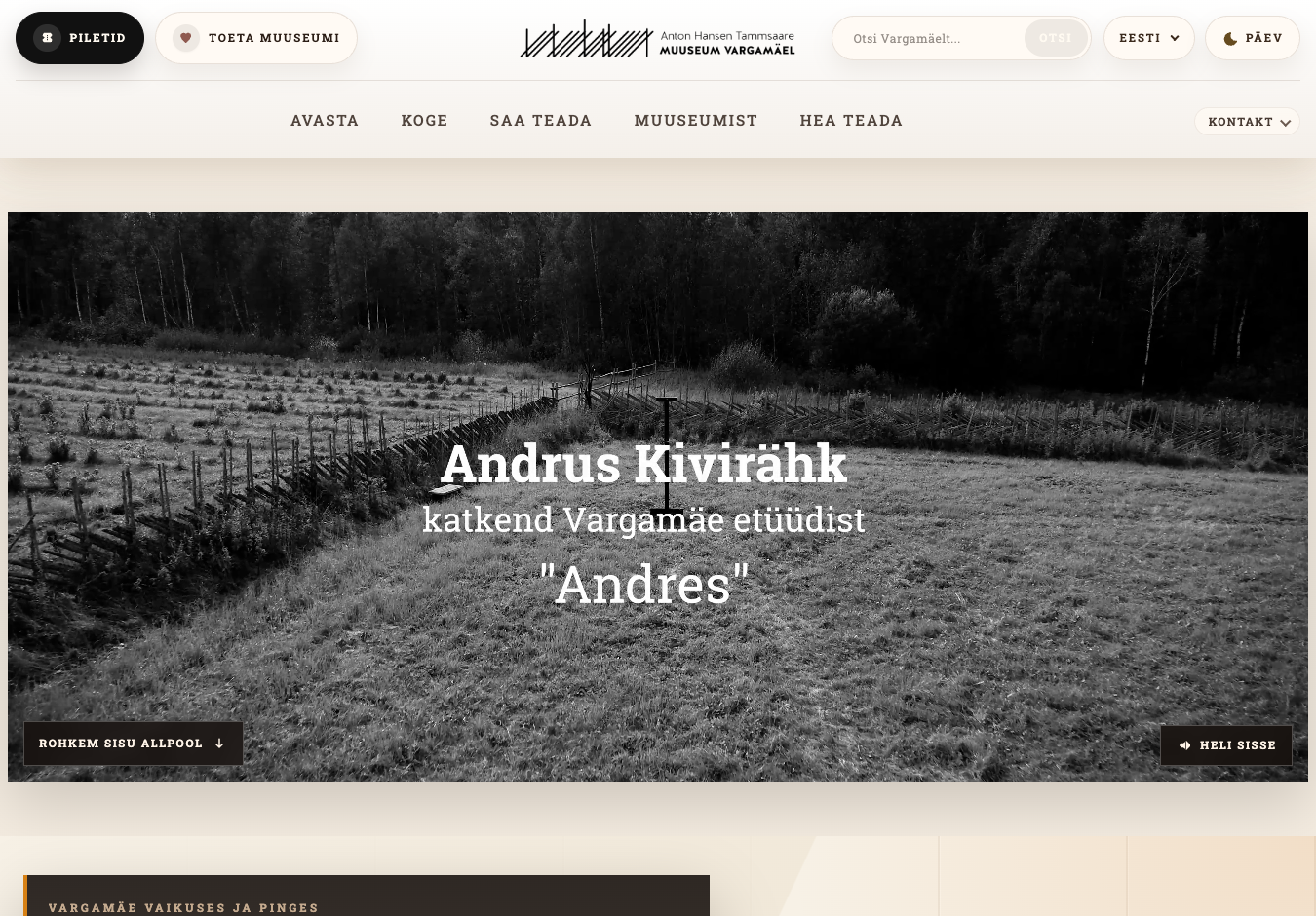
Page capture: Homepage · Desktop
Actual browser capture from the separate accessibility scan. It is taken after the performance runs.
The Lighthouse report: Homepage · Desktop
Screenshot of the original Lighthouse renderer for the displayed run. Open the HTML report to inspect every audit.
All three original Lighthouse reports
RunPerformanceAccessibilityTime (UTC)Reports
168 / 10097 / 100HTML · Homepage · Desktop · 1 / JSON · Homepage · Desktop · 1
266 / 10097 / 100HTML · Homepage · Desktop · 2 / JSON · Homepage · Desktop · 2
364 / 10097 / 100HTML · Homepage · Desktop · 3 / JSON · Homepage · Desktop · 3

Education centre · Desktop

/oppekeskus/

Performance

65 / 100

Accessibility

82 / 100

Best practices

100 / 100

Search visibility

85 / 100

Performance across three runs: 57–73 / 100. Displayed run 3 of 3.

What was measured

First content appears
1.75 s
Main content appears
2.45 s
Time blocking interaction
0 ms
Layout movement
0.230
Visual loading speed
2.21 s
Data transferred
2 526 KiB

Lighthouse lab metrics from the displayed run. Data transferred covers resources observed during that run, not a whole browsing session.

Accessibility: what the scan found

rules with failures
4
rule–element occurrences
32
checks needing review
2

A separate axe scan checks the initial page against automated WCAG 2.0, 2.1 and 2.2 A/AA rules. A score of 100 or zero detected failures does not establish full accessibility.

Full axe results (JSON)
Page capture: Education centre · Desktop
Actual browser capture from the separate accessibility scan. It is taken after the performance runs.
The Lighthouse report: Education centre · Desktop
Screenshot of the original Lighthouse renderer for the displayed run. Open the HTML report to inspect every audit.
All three original Lighthouse reports
RunPerformanceAccessibilityTime (UTC)Reports
157 / 10082 / 100HTML · Education centre · Desktop · 1 / JSON · Education centre · Desktop · 1
273 / 10082 / 100HTML · Education centre · Desktop · 2 / JSON · Education centre · Desktop · 2
365 / 10082 / 100HTML · Education centre · Desktop · 3 / JSON · Education centre · Desktop · 3

Contact · Desktop

/hea-teada/kontakt/

Performance

74 / 100

Accessibility

88 / 100

Best practices

100 / 100

Search visibility

92 / 100

Performance across three runs: 73–77 / 100. Displayed run 1 of 3.

What was measured

First content appears
1.91 s
Main content appears
2.61 s
Time blocking interaction
0 ms
Layout movement
0.004
Visual loading speed
2.32 s
Data transferred
2 039 KiB

Lighthouse lab metrics from the displayed run. Data transferred covers resources observed during that run, not a whole browsing session.

Accessibility: what the scan found

rules with failures
3
rule–element occurrences
19
checks needing review
2

A separate axe scan checks the initial page against automated WCAG 2.0, 2.1 and 2.2 A/AA rules. A score of 100 or zero detected failures does not establish full accessibility.

Full axe results (JSON)
Page capture: Contact · Desktop
Actual browser capture from the separate accessibility scan. It is taken after the performance runs.
The Lighthouse report: Contact · Desktop
Screenshot of the original Lighthouse renderer for the displayed run. Open the HTML report to inspect every audit.
All three original Lighthouse reports
RunPerformanceAccessibilityTime (UTC)Reports
174 / 10088 / 100HTML · Contact · Desktop · 1 / JSON · Contact · Desktop · 1
277 / 10088 / 100HTML · Contact · Desktop · 2 / JSON · Contact · Desktop · 2
373 / 10088 / 100HTML · Contact · Desktop · 3 / JSON · Contact · Desktop · 3

Every page, both devices

Six measured cases. Each score and LCP belongs to the selected actual run. Performance range includes all three runs.
PageDevicePerformancePerformance across three runsAccessibilityMain content (LCP)axe failures
HomepageMobile6060–61979.75 s1
Education centreMobile5452–63776.83 s4
ContactMobile6363–63855.84 s3
HomepageDesktop6664–68973.18 s1
Education centreDesktop6557–73822.45 s4
ContactDesktop7473–77882.61 s3

How we measured

The public 2026 website

These results describe the deployed website, including its content, plugins, hosting and external services. They do not isolate the theme’s contribution. The tested pages are in Estonian. The report’s English translation uses the same measurements.

Three fresh runs per case

Lighthouse runs sequentially in fresh Chrome profiles, with browser storage reset and its standard simulated mobile and desktop throttling. It uses the browser’s default colour scheme; the separate axe scans use light mode. Server caches may be warm. No cookie choices or form submissions are made. Results are lab observations, not visitor analytics.

One separate accessibility scan per case

axe scans the default light-mode page after a five-second settling period. Menus are closed. Keyboard flows, screen readers, dark mode, open menus and forms still need manual testing. Incomplete checks are retained in the JSON reports. Counts of affected nodes are rule–element occurrences, not unique elements.

Dates, sources and reproducibility

The manifest records source URLs, exact settings, timestamps, tool versions and SHA-256 checksums. The served 2026 stylesheet was checked before and after collection. The server does not expose a deployment commit; the local source reference is not a verified production revision.

Scores can change as content, networks and external services change. These automated checks are not a WCAG certification or a complete accessibility audit.


Device settings

Mobile

412 × 823 px · simulate

{
    "rttMs": 150,
    "throughputKbps": 1638.4,
    "requestLatencyMs": 562.5,
    "downloadThroughputKbps": 1474.5600000000002,
    "uploadThroughputKbps": 675,
    "cpuSlowdownMultiplier": 4
}

Desktop

1350 × 940 px · simulate

{
    "rttMs": 40,
    "throughputKbps": 10240,
    "requestLatencyMs": 0,
    "downloadThroughputKbps": 0,
    "uploadThroughputKbps": 0,
    "cpuSlowdownMultiplier": 1
}

Exact throttling, emulation and browser settings are in every Lighthouse JSON.

Tools: Lighthouse 13.4.1 · axe-core 4.13.0 · Playwright 1.62.1.

Google Chrome 155.0.8059.85. This page documents the 2026 version. No historical comparison is included.

Tested pages